Explain systems and solve computing problems. The 30 quick questions support recall and application; practise full algorithms, programs and evaluations using the PLC tasks.
Revise the key ideas
Operating systems
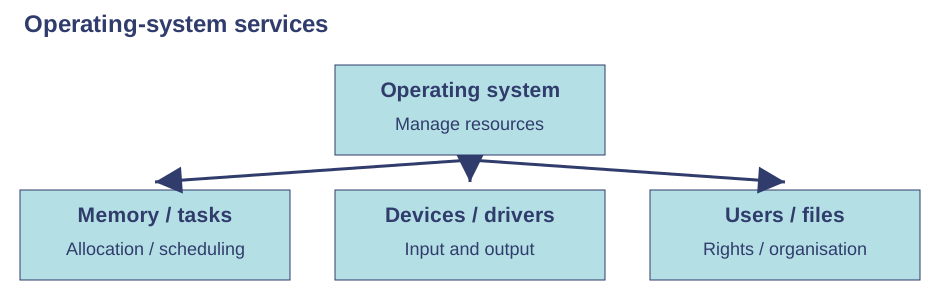
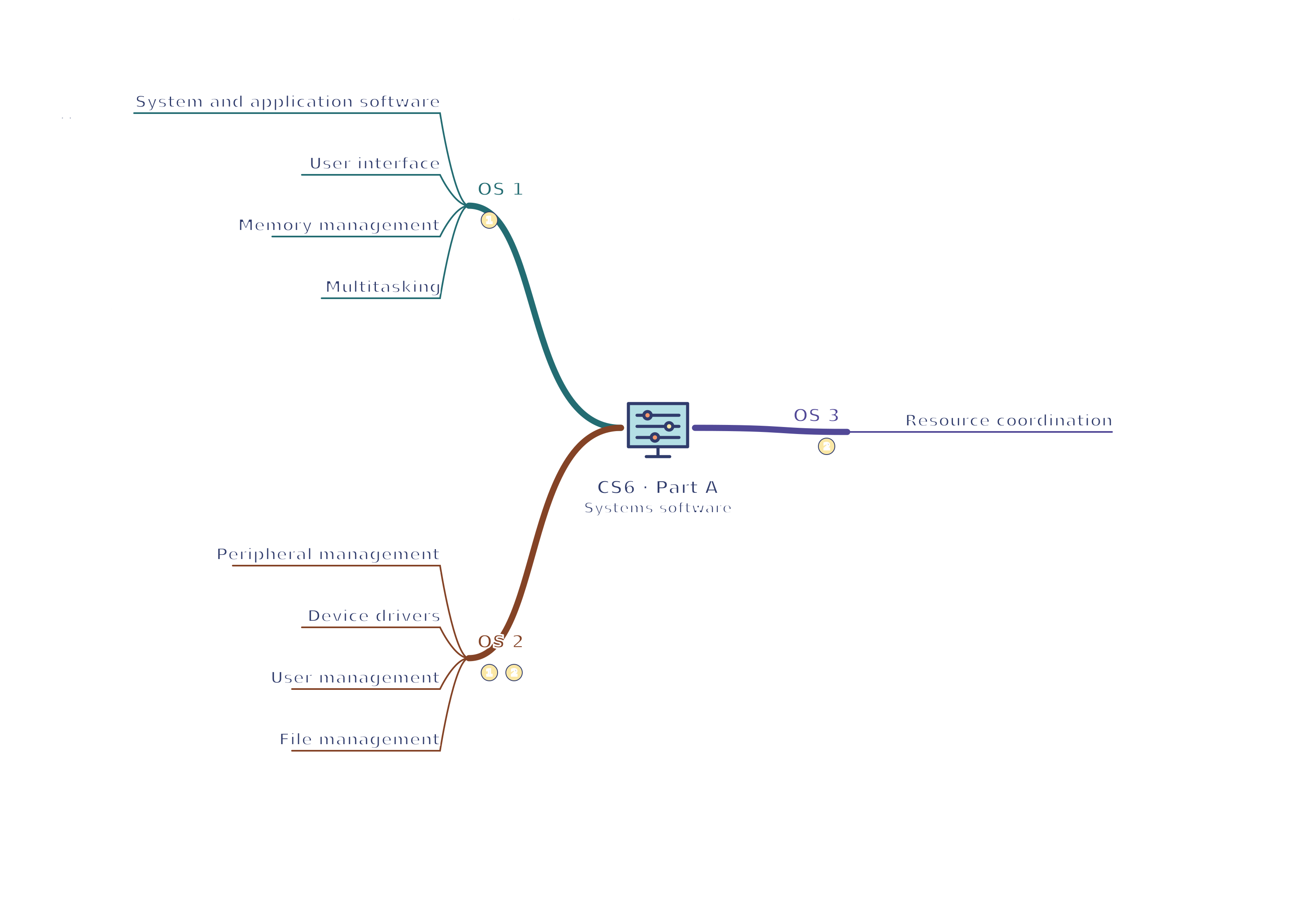
System and application software — System software operates and supports the computer; applications perform user tasks such as writing or image editing. The operating system manages hardware resources and provides services to applications. An application does not normally control every hardware detail directly.
User interface — A graphical interface uses visual controls such as windows and icons; a command-line interface accepts typed commands. GUIs can help unfamiliar users, while commands allow precise repeatable tasks for experienced users. Accessibility and the user's task matter when comparing them.
Memory management — The operating system assigns memory to running programs and manages available space. It prevents inappropriate interference between programs' memory and can move data between RAM and secondary storage when necessary. Memory management is distinct from permanent file organisation.
Multitasking — The operating system schedules work so multiple programs can progress. On one core, rapid switching can give the appearance of simultaneous execution; multiple cores can actually run some work in parallel. Resource limits still apply, so opening more programs can reduce responsiveness.
Peripheral management — The operating system manages input and output between peripherals and the processor, including requests and status. A printer may handle a queued job while other tasks continue. Managing a peripheral does not mean keeping all its output permanently in CPU registers.
Device drivers — A driver is software that enables the operating system to communicate with a particular device. Different printers or graphics devices may need suitable drivers. A driver is not the physical cable, and an incompatible driver can prevent correct operation.
User management — The operating system manages accounts and their access rights, helping separate users' files and administrative actions. Authentication checks identity; authorisation decides what the authenticated user may do. Logging into an account does not automatically grant permission to every file.
File management — The operating system handles names, folders, saving, copying, moving and deleting files, and tracks where they are stored. Paths identify locations within the file system. Renaming a file is different from converting its actual content format.
Resource coordination — When printing an edited document, file management retrieves it, memory management supports the application and a driver helps communicate with the printer. User permissions may restrict access. Explain these roles separately instead of attributing every function to the user interface.Use the labels alongside the associated explanation.
Utility software
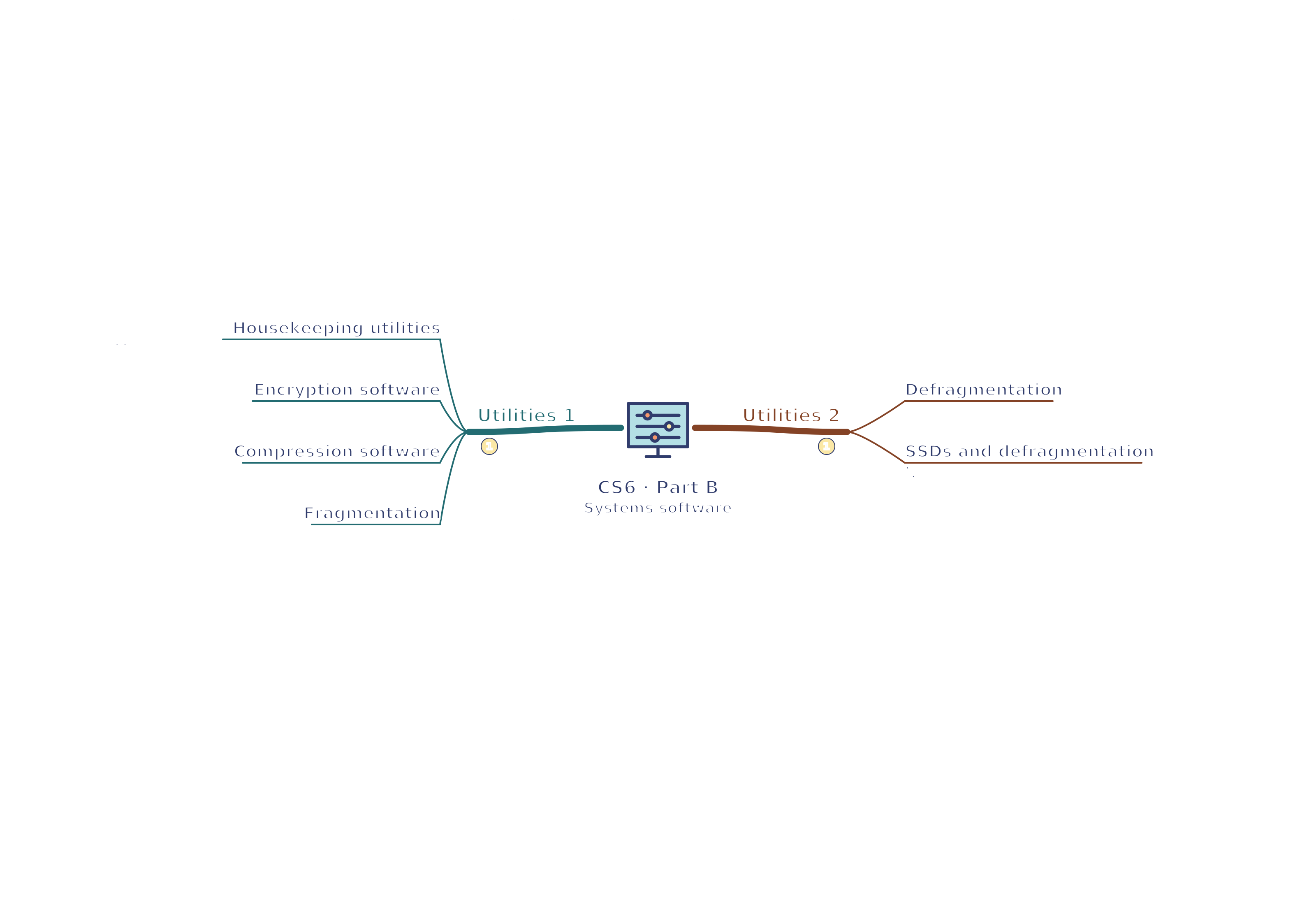
Housekeeping utilities — Utilities perform supporting tasks such as encryption, compression or storage maintenance. Some are supplied with the operating system and others installed separately. Classification depends on purpose; a utility is not simply any program the user finds helpful.
Encryption software — Encryption software converts data to ciphertext using a key. A protected laptop file is harder to read after device theft without the key. Encryption does not reduce a file's size by definition or make losing the only key harmless.
Compression software — Compression software encodes data more compactly. Lossless compression restores the exact original, while lossy compression removes information. Choose based on the file's purpose; compression alone is not an access-control or encryption mechanism.
Fragmentation — On a magnetic hard disk, a file may be stored in pieces scattered around the disk as files are added and removed. The read/write head then needs extra movement to access those pieces, slowing retrieval. Fragmentation is about placement, not necessarily a damaged file.
Defragmentation — A defragmentation utility reorganises fragmented files into more contiguous storage and may consolidate free space. This can improve access on a magnetic disk. It does not repair every hardware fault or create more physical capacity.
SSDs and defragmentation — An SSD has no moving read/write head, so traditional defragmentation does not provide the same benefit and adds unnecessary writes. Operating systems use other SSD maintenance techniques. Choose maintenance appropriate to the storage type rather than treating every drive as a hard disk.
Test yourself
30 questions · Random sets of 10. These quick checks support revision; practise longer explanations and justified judgements too.
Mind map
Use the branches to recall the ideas and explain their connections. Check the revision notes for the full detail.
CS6 · OS 1 / OS 2 / OS 3
View CS6 · OS 1 / OS 2 / OS 3 mind mapOpen the full-size map to zoom. Download the PDF to print on A4 or enlarge to A3.
 Mr Kidman's Classroom