Explain systems and solve computing problems. The 30 quick questions support recall and application; practise full algorithms, programs and evaluations using the PLC tasks.
Revise the key ideas
Languages
High-level languages — A high-level language uses constructs such as loops, variables and functions that are easier for people to work with than machine instructions. It is generally more portable across hardware when a suitable translator exists. The CPU still needs executable machine-level instructions.
Low-level languages — Machine code consists of instructions encoded for a processor. Assembly uses mnemonic representations. An assembler translates it; this is supplementary context, as J277 does not require knowledge of assemblers. Low-level code can give precise hardware control but is harder to write and maintain and generally less portable across processor architectures.
Choosing a language — A high-level language suits many applications because it supports rapid development and readable code. Device-specific routines may need low-level control. A language's level alone does not guarantee that every program is faster or uses less memory; implementation and workload matter.
Need for translation — Programmers' source code is not normally the machine instructions directly executed by the processor. A translator converts or interprets source so the computer can carry out it. A translator checks language rules, but does not guarantee that the algorithm meets its intended requirements.
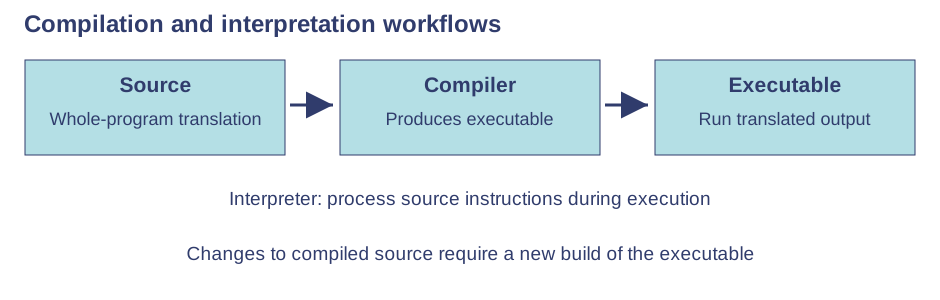
Compiler — In the GCSE model, a compiler translates the whole source program and reports errors, producing executable/object code when successful. The translated program can then run without translating the original source each time. Recompilation is needed after source changes.Use the labels alongside the associated explanation.
Interpreter — An interpreter processes source instructions during execution, commonly described at GCSE as one instruction at a time. Errors encountered may stop execution before later instructions are reached. It supports interactive development but interpretation adds work during running in the simple comparison.
Compiler and interpreter trade-offs — Interpretation can support rapid experiments and locating a reached error; compiled output often runs faster in the simplified comparison and can be distributed without original source. Real systems can mix bytecode, interpretation and just-in-time compilation, so avoid absolute claims about every language implementation.
Errors and translators — A translator can reject grammar errors but may accept total = price + quantity when multiplication was intended. Testing and debugging remain necessary. A compiler cannot infer every unstated business rule or prove all user requirements are satisfied.
Development environments
Purpose of an IDE — An integrated development environment brings together an editor, execution/translation facilities and debugging tools. Combining these supports a development workflow; an IDE is not itself a guarantee of correct code or necessarily a programming language.
Editors — An editor allows entry and modification of code. Indentation, syntax highlighting and autocomplete can improve readability and reduce typing mistakes. Highlighting does not prove that a program works, and generated suggestions still need review.
Error diagnostics — Diagnostics may identify syntax problems and show a message or line number. The reported location can follow the actual mistake, such as after an unclosed bracket. Read the cause and surrounding code, correct it and retest rather than deleting any line mentioned.
Runtime environment — An IDE can run a program and present its output or input console. Supply planned test data and compare results with expectations. Running once without a crash does not establish correct boundary handling or coverage of every branch.
Breakpoints — A breakpoint stops at a selected line so the programmer can examine state before continuing. It can locate when a total first becomes wrong. It is a debugging facility, not an instruction permanently intended as part of the user's final algorithm.
Stepping and watches — Single stepping follows execution in small increments; variable watches display current values. Together they help test a hypothesis about a loop or branch. Predict what should happen, then compare observed state; merely watching values does not fix a defect.
Developing with tools — Write and translate the code, resolve syntax errors, run planned inputs and use breakpoints or stepping to locate logic defects. Make a targeted correction and repeat relevant tests. Maintain a clear distinction between source editing, translation, execution and verification.
Test yourself
30 questions · Random sets of 10. These quick checks support revision; practise longer explanations and justified judgements too.
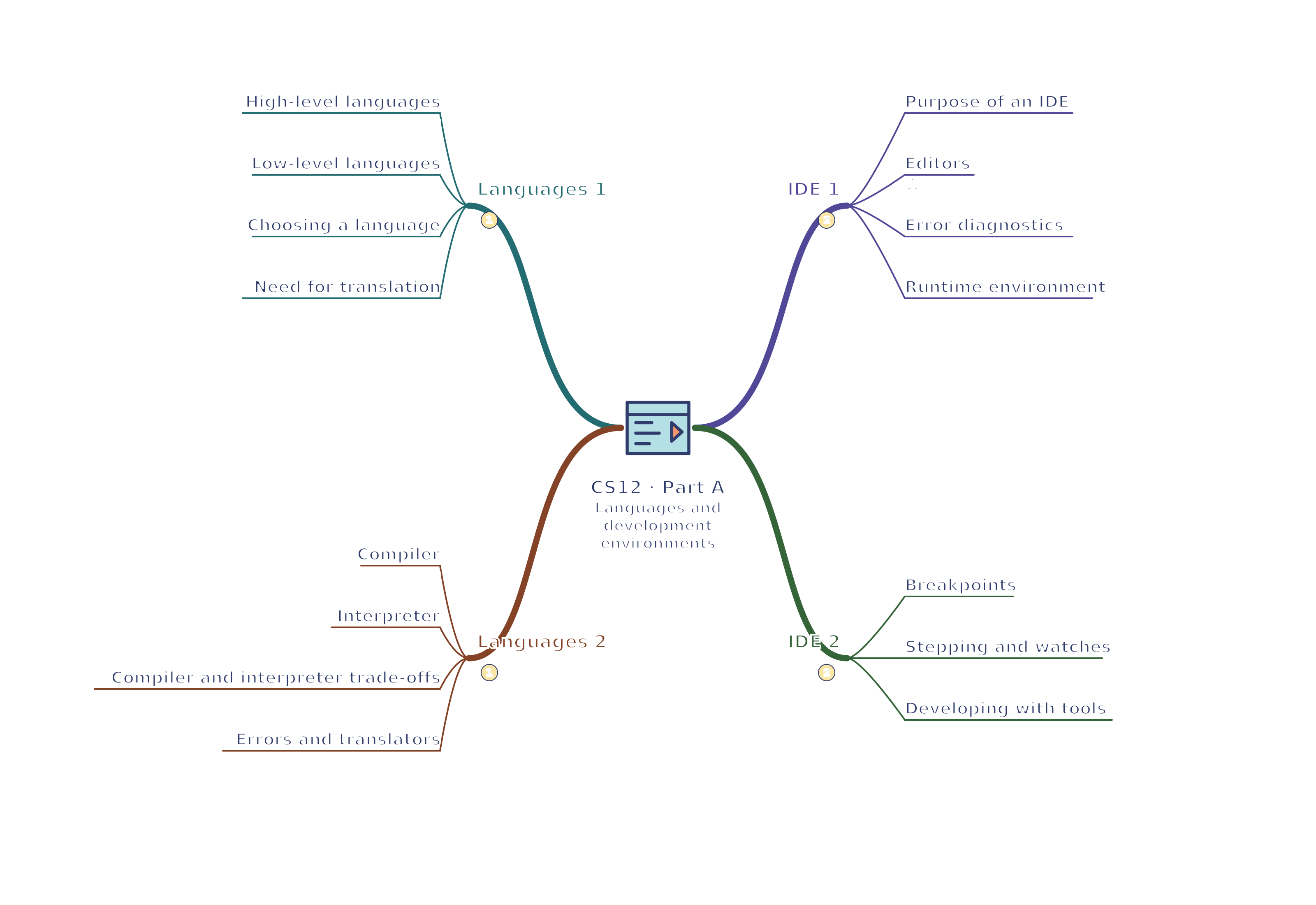
Mind map
Use the branches to recall the ideas and explain their connections. Check the revision notes for the full detail.
CS12 · Languages 1 / Languages 2 / IDE 1 / IDE 2
View CS12 · Languages 1 / Languages 2 / IDE 1 / IDE 2 mind mapOpen the full-size map to zoom. Download the PDF to print on A4 or enlarge to A3.
 Mr Kidman's Classroom