Explain systems and solve computing problems. The 30 quick questions support recall and application; practise full algorithms, programs and evaluations using the PLC tasks.
Revise the key ideas
CPU architecture
Purpose of the CPU — The central processing unit runs instructions from a program. Instructions may calculate, compare, transfer data or change the next instruction to execute. The CPU does not permanently store all the user's files: secondary storage fulfils that role.
Stored programs — In a Von Neumann system, main memory holds program instructions as well as data. The CPU fetches instructions using addresses. An address identifies a location; the value stored at that location is its contents. Confusing the two leads to incorrect descriptions of registers.
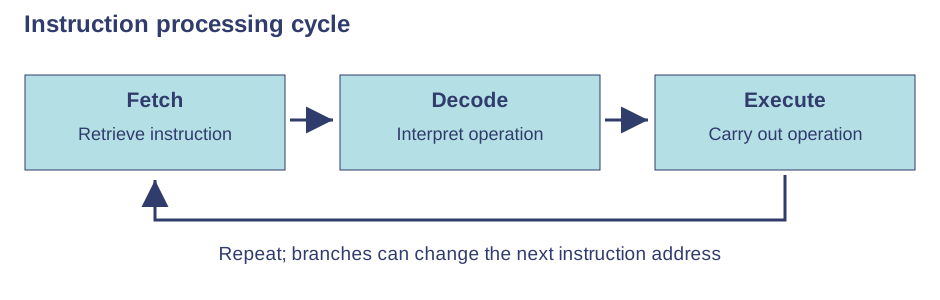
Fetch stage — The processor uses the next instruction's address to fetch that instruction from main memory. The program counter identifies the next instruction, advancing during normal sequential execution. A branch can change which instruction comes next.Use the labels alongside the associated explanation.
Decode stage — The control unit interprets the fetched instruction and coordinates the components needed to carry it out. Decoding determines what operation is required; it is not the calculation itself. The course often calls the repeated process the fetch-execute cycle, with decoding within it.
Execute stage — The processor carries out the decoded instruction, for example adding two values, storing a result or branching. Execution may involve the ALU and registers. The cycle repeats while the program runs; fetching, decoding and executing refer to distinct actions.
Arithmetic Logic Unit — The ALU carries out arithmetic such as addition and logical operations or comparisons. Testing whether a score exceeds a threshold can influence a later branch. The ALU does not manage user accounts or choose files for long-term storage.
Control unit — The control unit decodes instructions and sends control signals to coordinate other parts of the processor. It manages execution rather than doing every calculation itself. Distinguish this coordinating role from the ALU's arithmetic and logic role.
Registers and cache — Registers are very small storage locations inside the CPU holding immediate working values or addresses. Cache is fast memory near or within the CPU holding frequently or recently used data and instructions. Fetching a cached item avoids a slower main-memory access; cache is not an unlimited store.
Program counter and MAR — The program counter holds the address of the next instruction. The memory address register holds the address of the memory location being accessed. That location may contain data or an instruction. An address is not itself the instruction or data value.
MDR and accumulator — The memory data register holds contents being transferred to or from memory. The accumulator holds intermediate arithmetic or logic results. For example, an address of 100 and the value 7 stored there are different: an address register holds 100, while a data register can hold 7.
Performance
Clock speed — A clock coordinates processor activity. A speed of 3 GHz means three billion clock cycles per second. With otherwise comparable processors, more cycles can allow more instructions to be processed per second, but one instruction is not always exactly one cycle.
Cache size — A larger cache can keep more frequently used data or instructions close to the CPU, reducing accesses to slower RAM. Performance improves when the program reuses those items. A larger cache is not a guarantee that every program runs proportionally faster.
Number of cores — A core is a processing unit that can execute instructions. Multiple cores can handle separate tasks or parallel parts of a suitable program. A strictly sequential task cannot automatically use every core; software design and other bottlenecks affect the benefit.
Comparing processors — Do not judge different processors from clock speed alone: architecture, cache and cores affect useful work. A video-processing workload may benefit from parallelism; waiting for a slow drive may limit performance despite a fast CPU. Explain the characteristic and why it helps the stated task.
Embedded systems
Dedicated control — An embedded system performs a dedicated function within another product. A washing-machine controller reads inputs and controls the wash programme. It is still a computer with hardware and software, even if it lacks a conventional keyboard or general-purpose desktop.
Typical characteristics — Embedded systems often use limited memory, low power and specialised input/output. Some must respond promptly to sensor changes. They are designed around a specific job rather than installing arbitrary desktop applications; being embedded does not mean never connecting to a network.
Inputs and outputs — A heating controller can read a temperature sensor, compare it with a target and switch a heater. A car braking controller responds to wheel sensors. Identify input, processing and output in context rather than calling every electrical object a computer.
General-purpose comparison — A laptop can run many unrelated applications selected by its user. A microwave's controller runs a defined cooking-control task. Embedded software can still be updated, and one device can contain several controllers. Explain purpose rather than relying only on device size.
Test yourself
30 questions · Random sets of 10. These quick checks support revision; practise longer explanations and justified judgements too.
Mind map
Use the branches to recall the ideas and explain their connections. Check the revision notes for the full detail.
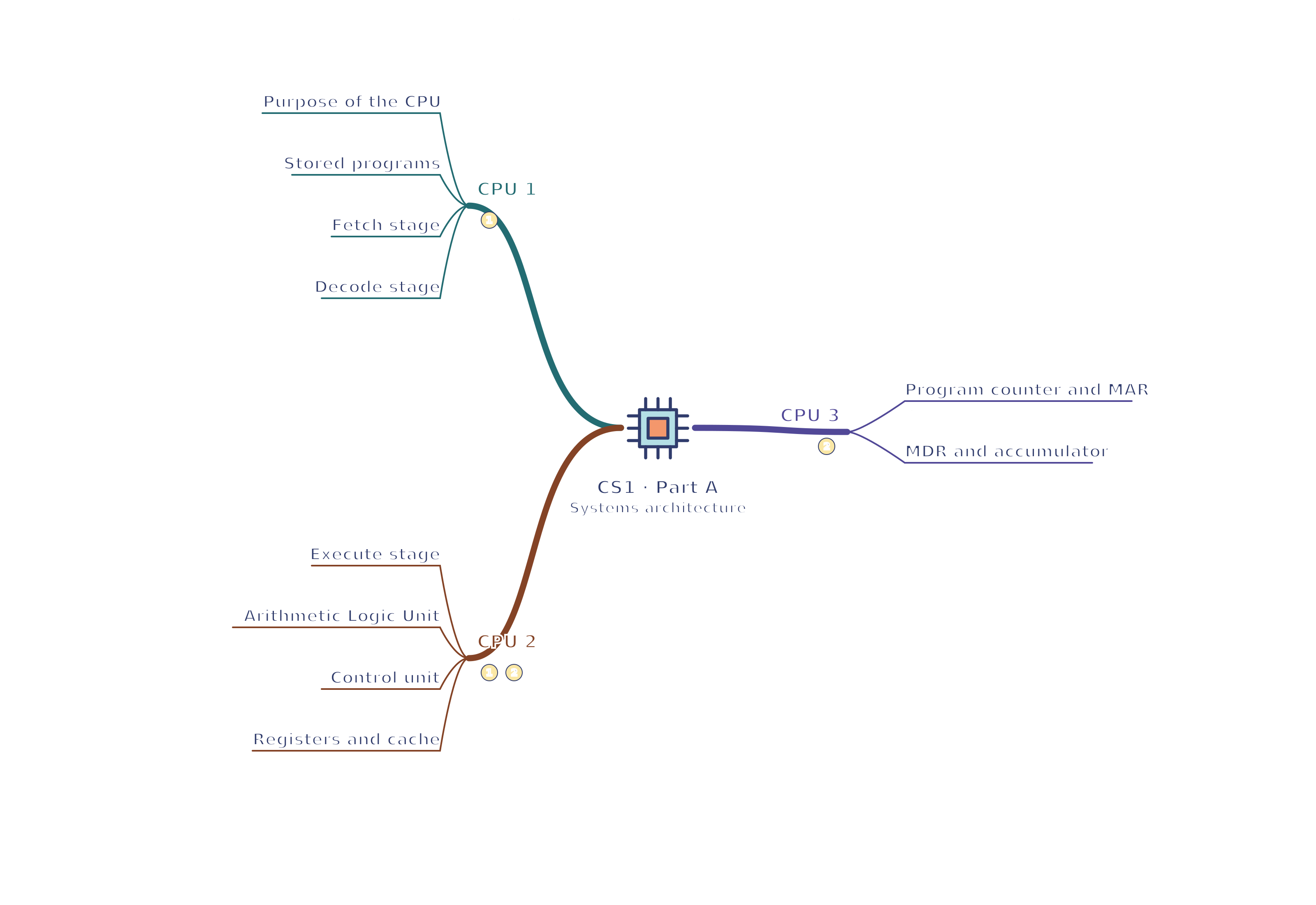
CS1 · CPU 1 / CPU 2 / CPU 3
View CS1 · CPU 1 / CPU 2 / CPU 3 mind mapOpen the full-size map to zoom. Download the PDF to print on A4 or enlarge to A3.
 Mr Kidman's Classroom