Explain systems and solve computing problems. The 30 quick questions support recall and application; practise full algorithms, programs and evaluations using the PLC tasks.
Revise the key ideas
Units and capacity
Binary representation — A bit is a binary digit, 0 or 1. Electronic systems can distinguish two states reliably, and combinations encode instructions, numbers, text, images and sound. The meaning depends on the agreed representation; the same bit pattern need not mean the same thing in every context.
Bits and bytes — A nibble contains 4 bits and a byte contains 8. Convert bits to bytes by dividing by 8, and bytes to bits by multiplying by 8. Do not confuse a bit rate with a byte rate: 80 bits per second equals 10 bytes per second.
Decimal storage units — Use 1000 bytes per KB, 1000 KB per MB, then GB, TB and PB unless a question states another convention. Thus 2 MB is 2,000,000 bytes. OCR also permits 1024-based conversions; show and apply your convention consistently rather than mixing factors.
Storage requirement — For 250 files of 4 MB each, total storage is 1000 MB, or 1 GB using decimal units. Divide capacity by size to find the number of complete files; round down if a fraction does not fit. Metadata and formatting can require extra space where stated.
Number systems
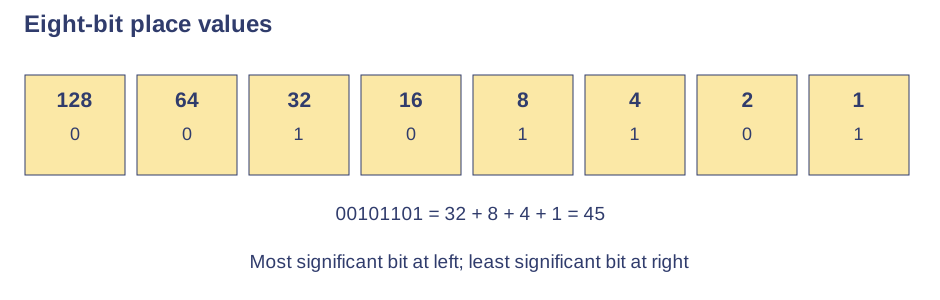
Eight-bit place values — Unsigned eight-bit binary represents 0 to 255. To read 00101101, add the positions containing 1: 32 + 8 + 4 + 1 = 45. Leading zeroes do not change the value. The leftmost bit is the most significant and the rightmost is the least significant.Use the labels alongside the associated explanation.
Denary to binary — To encode 150, choose 128 leaving 22, then 16 leaving 6, then 4 and 2. Put 1 in those positions and 0 elsewhere: 10010110. Check by adding the selected values back to 150, retaining eight digits when requested.
Hexadecimal — A, B, C, D, E and F represent 10 to 15. Two hexadecimal digits use place values 16 and 1: 2D equals 2 × 16 + 13 = 45. Hexadecimal is a compact readable representation of binary data, not a different physical way a computer stores that data.
Binary and hexadecimal — Split 10100111 into 1010 and 0111: these are A and 7, giving A7. To reverse, replace each digit with a four-bit nibble. The leading zeroes in a nibble matter when joining groups, even though they do not affect its individual numeric value.
Binary addition — Work from the right: 0 + 0 gives 0; 0 + 1 gives 1; 1 + 1 gives 0 and carry 1. With an incoming carry, 1 + 1 + 1 gives 1 and carry 1. For example 00001101 + 00000111 = 00010100, or 13 + 7 = 20.
Overflow — Adding 11111111 and 00000001 produces 1 00000000. The true value 256 needs nine bits, so it cannot fit unsigned eight-bit storage. If only the lowest eight bits are kept, 00000000 remains and the value is wrong: this is overflow.
Logical shifts — A one-place left shift doubles an unsigned value if no significant bit is lost. A one-place right shift divides by two and discards any remainder. For example 00010110 shifted left becomes 00101100 (22 to 44), and 00010111 shifted right becomes 00001011 (23 to 11).
Shift limits — For fixed eight-bit storage, shifting 10000000 left loses its leading 1 and leaves 00000000. This is not a valid representation of 256. Repeated right shifts can lose low-order 1s; shifting right and then left need not restore an odd original number.
Text and images
Character sets — A character set associates numeric codes with characters. With n bits, at most 2ⁿ distinct codes are available. A shared encoding allows a stored sequence of numbers to be interpreted as text; using the wrong encoding can produce incorrect characters.
ASCII and Unicode — ASCII represents a limited set of characters; original ASCII uses seven significant bits, while OCR binary ASCII examples use eight bits. Unicode supports characters from many writing systems and symbols. Its storage depends on encoding, such as UTF-8; do not claim every Unicode character always uses sixteen bits.
Character calculations — If a question gives A as 65, B is 66 in the logically ordered alphabetic range; you need not memorise character codes. A 120-character file at 8 bits per character uses 960 bits or 120 bytes, excluding metadata. Use the stated encoding size.
Pixels — A bitmap image is a grid of pixels, each assigned a colour code. Enlarging a low-resolution bitmap can reveal blocks because it does not add genuine detail. A pixel is a picture element, not an entire row or a file-header field.
Colour depth — With 1 bit per pixel, two colours can be coded; with 8 bits, 256 codes are possible. Greater depth can reproduce more colour variation but increases uncompressed size for the same dimensions. More colours alone do not increase the number of pixels.
Resolution and metadata — More pixels can record finer detail and increase file size. Image metadata may record width, height, colour depth and capture information. Metadata describes how to interpret the image and other details; it is separate from the colour code for each pixel.
Image file-size example — A 200 × 100 pixel image at 8 bits per pixel needs 160,000 bits, or 20,000 bytes (20 KB in decimal units), excluding metadata. Multiplying width by height gives pixel count; divide the bit total by 8 before giving bytes.
Sound
Sampling analogue sound — Sound varies continuously. Digitisation measures amplitude repeatedly and stores an approximate binary value for each sample. Playback reconstructs an approximation from those values; the file does not store a continuous curve with infinitely many measurements.
Sample rate — A sample rate of 8000 Hz takes 8000 samples per second. Increasing the rate captures more timing detail and generally improves representation of the original sound, while increasing file size at the same duration and bit depth.
Sound bit depth — At 8 bits per sample, 256 levels can be represented. Increasing bit depth allows finer amplitude distinctions, reducing rounding error, and increases file size. Bit depth changes the precision of each measurement; it does not set the number of samples each second.
Sound file-size example — Ten seconds of mono sound at 8000 samples per second and 16 bits per sample uses 1,280,000 bits, or 160,000 bytes (160 KB), before metadata or compression. If the problem explicitly includes multiple channels, multiply by the number of channels.
Compression
Why compress — Compression represents a file with fewer bits. Smaller files take less storage and can transfer faster at the same data rate, but compressing and decompressing require processing. The suitability of a method depends on whether exact original data are needed.
Lossless compression — Lossless methods remove redundancy without discarding information needed to restore the original. They are suitable for program code and text where every character matters. The amount saved depends on the data; already compressed files may shrink very little.
Lossy compression — Lossy methods permanently remove selected information, often detail people notice less in sound or images. The original cannot be reconstructed exactly. Stronger compression can introduce visible or audible degradation; repeated lossy saves may reduce quality further.
Choosing a method — An executable or a legal document needs exact recovery, favouring lossless compression. A streaming clip may use lossy compression to fit bandwidth while retaining acceptable quality. Compression does not add missing detail or guarantee encryption of the content.
Test yourself
30 questions · Random sets of 10. These quick checks support revision; practise longer explanations and justified judgements too.
Mind map
Use the branches to recall the ideas and explain their connections. Check the revision notes for the full detail.
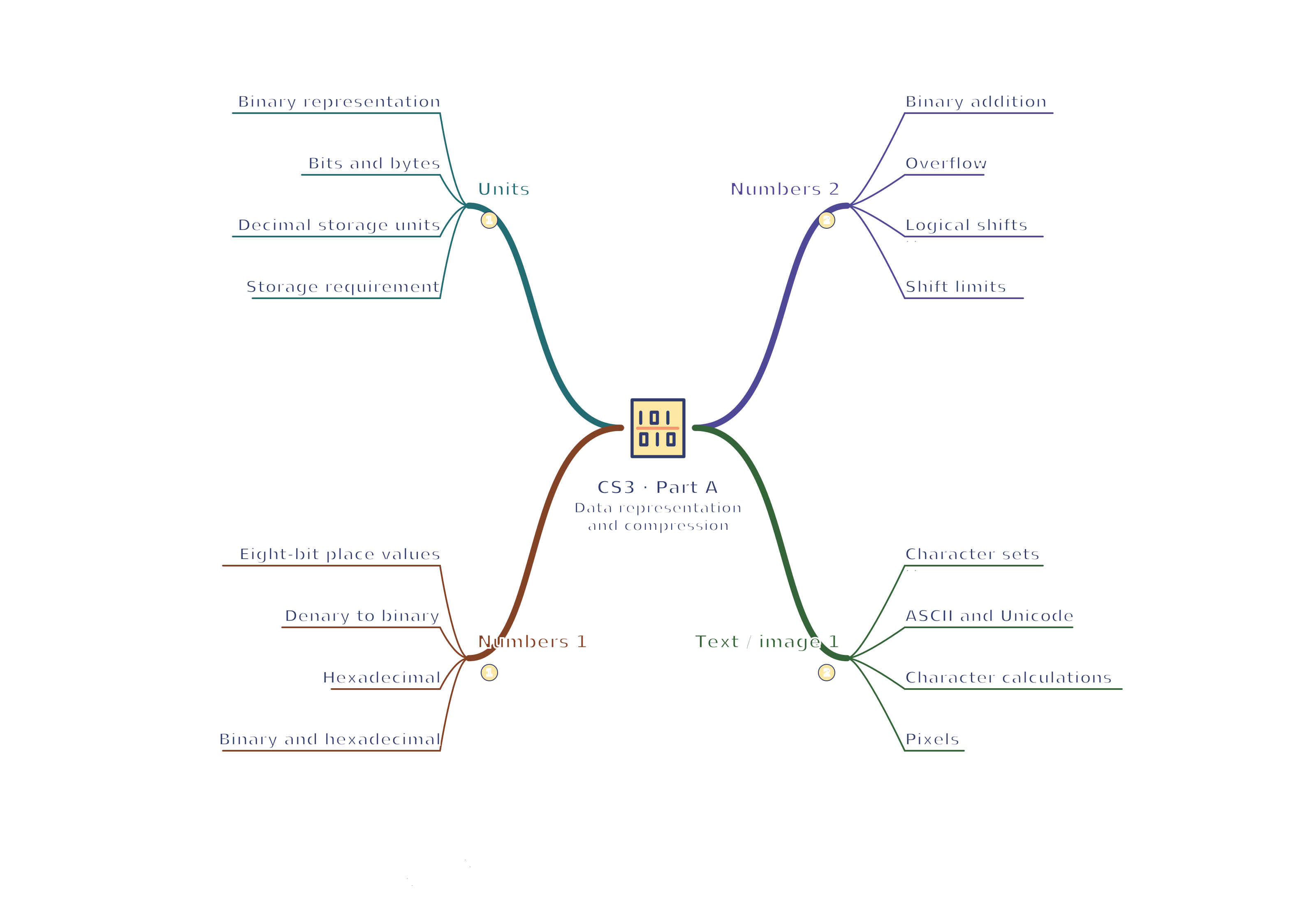
CS3 · Units / Numbers 1 / Numbers 2 / Text / image 1
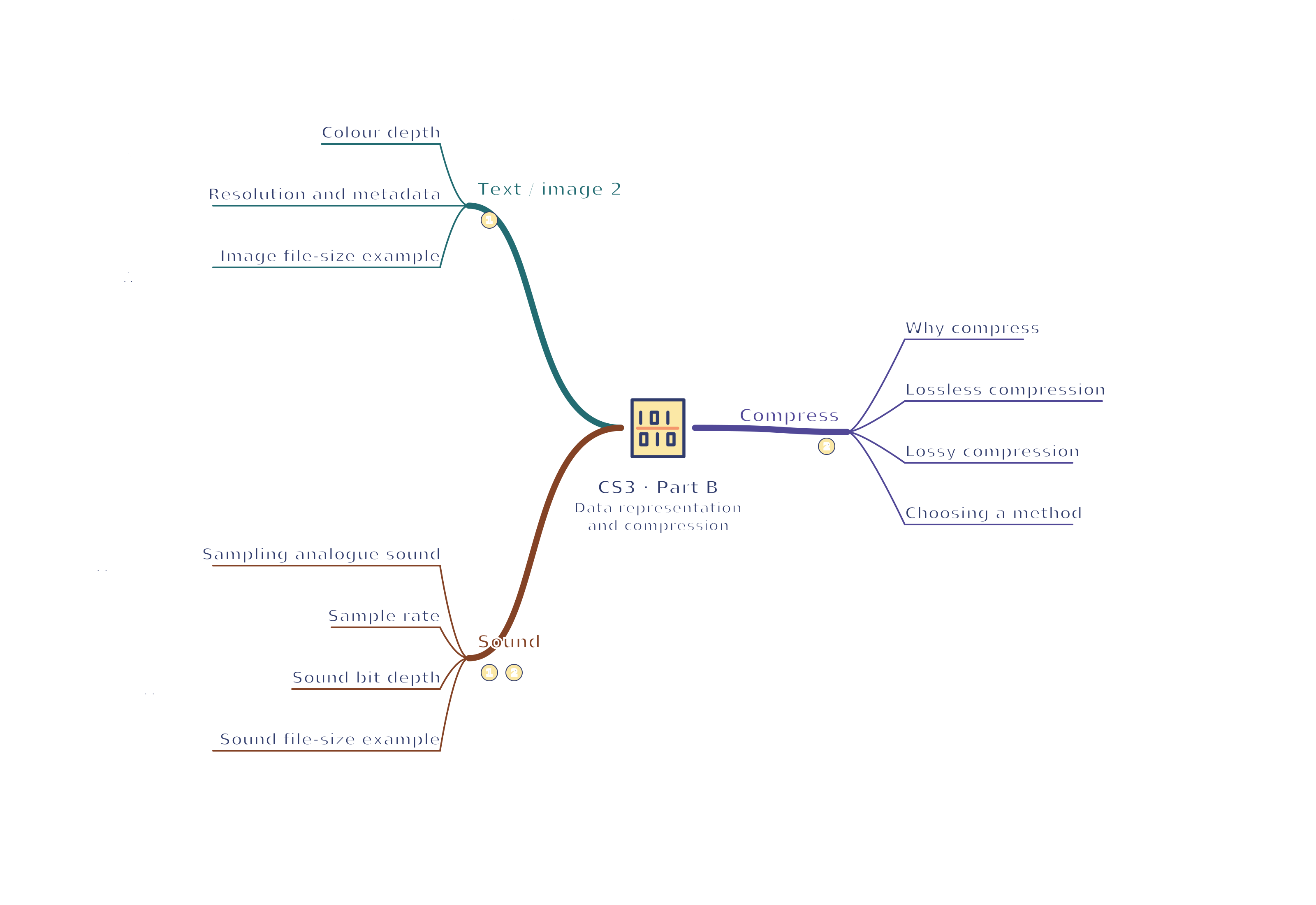
View CS3 · Units / Numbers 1 / Numbers 2 / Text / image 1 mind mapOpen the full-size map to zoom. Download the PDF to print on A4 or enlarge to A3.
 Mr Kidman's Classroom