Explain systems and solve computing problems. The 30 quick questions support recall and application; practise full algorithms, programs and evaluations using the PLC tasks.
Revise the key ideas
Threats
Malware — Malware can damage files, spy on users, steal data or deny access. A virus attaches to other files; a worm can spread independently; a Trojan disguises harmful functionality as something useful. Ransomware may encrypt files and demand payment. These examples explain risks without making every attack a virus.
Social engineering — An attacker may impersonate trusted staff or invent urgency to persuade a person to reveal credentials or approve a transfer. The weakness exploited is a human decision as well as technical access. Training and independent verification help people recognise and challenge the request.
Phishing — A phishing message may imitate a bank or school and direct a user to a counterfeit login page. The aim can be credential theft or malware installation. Check through an independently known channel; a familiar logo or sender display name is not proof of authenticity.
Brute-force attacks — A brute-force attack attempts many passwords or keys until one works. Long unpredictable passwords increase the possibilities; rate limits, temporary lockouts and additional authentication restrict attempts. Reusing a strong password still creates risk when another service is compromised.
Denial of service — A denial-of-service attack consumes resources so genuine users cannot access the service. A distributed attack uses many sources. It targets availability; it need not steal a password or alter files. A traffic surge can also be legitimate, so context matters.
Interception and theft — Traffic may be intercepted on a connection, or stored data stolen from a device or account. Encryption can make captured content unreadable without a key. It does not prevent the signal being captured or protect plaintext already visible to a compromised authorised device.
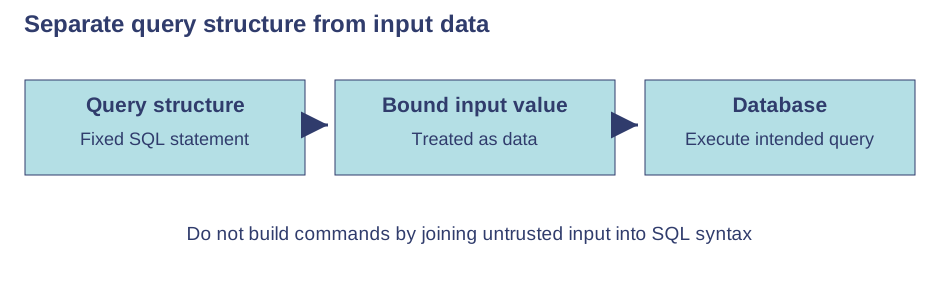
SQL injection — If a program builds a database command by directly joining untrusted input into it, that input may be interpreted as SQL rather than data. It could expose or change records. Parameterised queries keep values separate from command structure; input validation is useful but not a universal substitute.Use the labels alongside the associated explanation.
Threat and vulnerability — A threat is a potential cause of harm; a vulnerability is a weakness that can be exploited. An unpatched service or excessive access rights can expose a system. Assess likelihood and impact so protections address real risks rather than merely adding software without a purpose.
Prevention
Penetration testing — With permission and an agreed scope, testers simulate attacks and report vulnerabilities so they can be fixed. It is not permission to attack unrelated systems. A test is a snapshot; changes and newly discovered flaws can create later weaknesses.
Anti-malware — Anti-malware may use known signatures and suspicious behaviour to find threats, quarantine files and remove malware. Keep it updated. It reduces risk but cannot guarantee detection of every new threat or stop a person voluntarily revealing credentials.
Firewalls — A firewall permits or blocks traffic according to rules such as destination, port or source. This can limit unwanted connections. It does not automatically identify every dishonest message or make unsafe software trusted simply because traffic was allowed.
Access levels — User access levels restrict who can read, change or administer resources. Limiting ordinary users' privileges reduces damage from mistakes or compromised accounts. Review rights when roles change; allowing everyone administrator access makes many attacks more damaging.
Passwords and authentication — Long, unpredictable, unique passwords make guessing harder and avoid one compromise opening many accounts. Password managers can support uniqueness. Additional authentication factors improve protection, but users must still recognise fraudulent approval requests.
Encryption and key security — Encrypt sensitive stored data and transfers where appropriate. Control who can access decryption keys; storing an exposed key beside protected data defeats the purpose. Encryption helps confidentiality but does not replace backups, access controls or secure endpoints.
Physical security — Locked rooms, controlled entry and secure device storage reduce theft and unauthorised physical access. Screen locks help when devices are unattended. Physical controls complement network protections because someone with access to equipment may bypass remote safeguards.
Layered protection — Against phishing, use training, independent verification and strong authentication; against malware, combine updates, limited permissions and anti-malware. Against SQL injection, fix unsafe query construction. State how each control reduces the relevant risk and acknowledge what it cannot prevent.
Test yourself
30 questions · Random sets of 10. These quick checks support revision; practise longer explanations and justified judgements too.
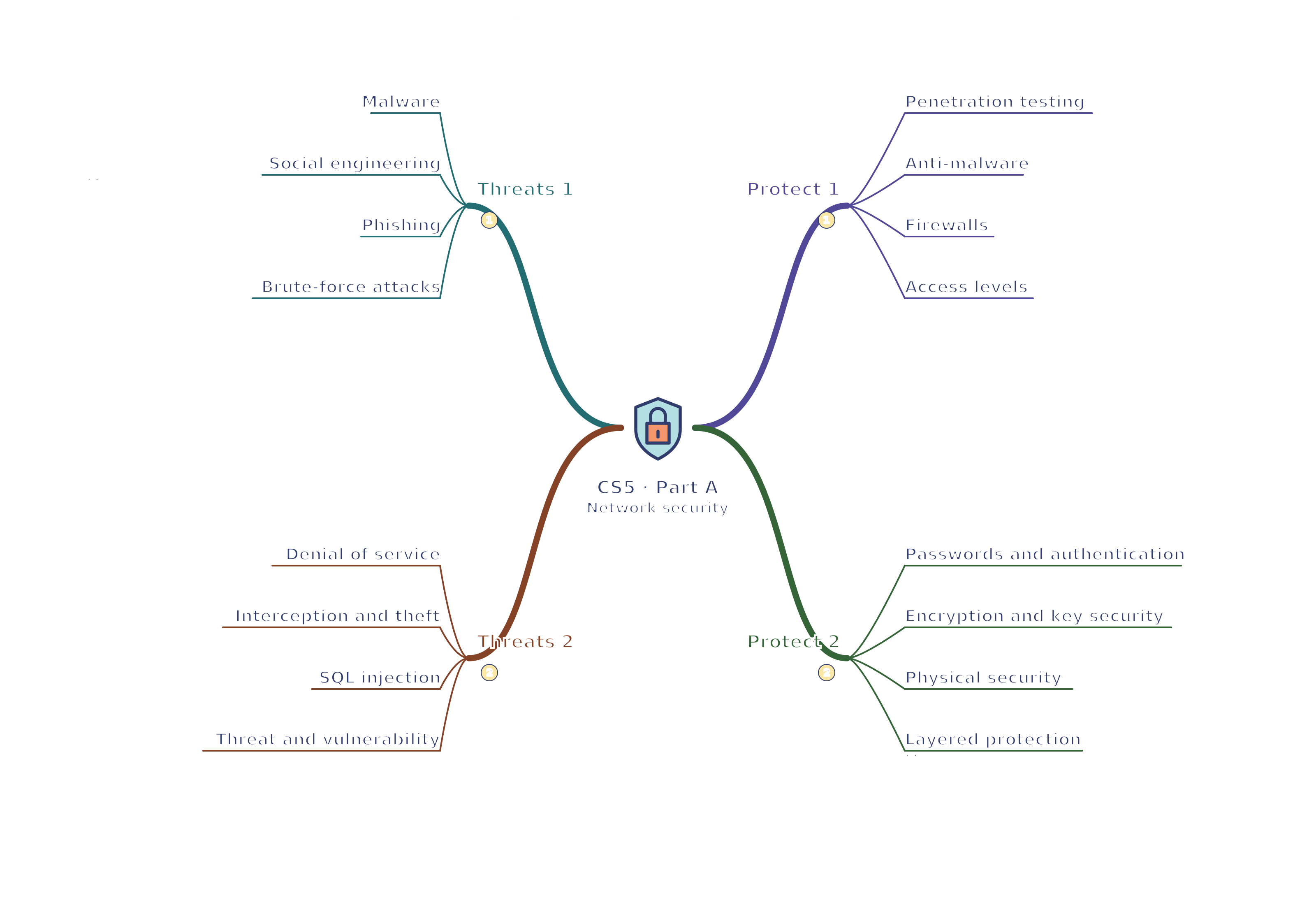
Mind map
Use the branches to recall the ideas and explain their connections. Check the revision notes for the full detail.
 Mr Kidman's Classroom